Expert Burlington | Appliance Repair Services
Schedule your home appliance repair online – 24/7 availability
If your Samsung dryer has started acting up and bothers you, interrupting your comfortable home life, it’s high time to call for help. Our licensed appliance repairmen are just a few blocks away and ready to come to the rescue.
We provide warranties on all our repairs, giving you peace of mind with our services.
We offer round-the-clock service to ensure your appliances are fixed when you need them the most.
Schedule your service online 24/7 with our easy-to-use booking system, or call us directly.
We use only genuine parts and back our repairs with a warranty for your peace of mind.
When your Samsung dryer stops heating, it can throw your laundry routine off track. Not only does it delay drying time, but it might also be a sign of a more serious issue. At Kitchener Appliance Repair, we help you identify and resolve the problem quickly. Here’s one of the most common reasons your dryer may not be heating:
Reason #1: Clogged Exhaust Vent
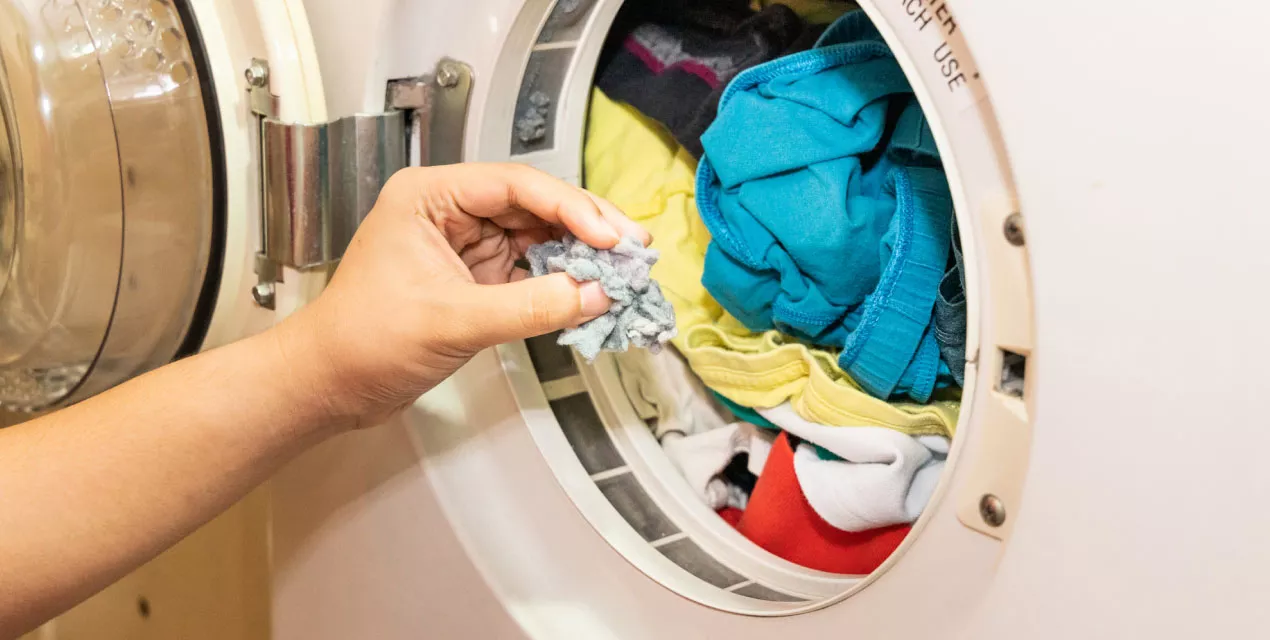
A clogged exhaust vent is a frequent culprit when it comes to heating issues. It restricts airflow, causing warm air to remain trapped inside the unit, which affects performance. Over time, lint, dust, or even outside elements like leaves and bird nests can create blockages.
To check, inspect the vent both behind your dryer and at the exterior of your home. Clearing out the buildup can often restore proper airflow and solve the heating problem. If the issue persists, our experts at Kitchener Appliance Repair are just a call away to diagnose and fix it professionally.
Reason #2: Blown Thermal Fuse
One of the most common reasons your Samsung dryer stops heating is a blown thermal fuse. This safety device is typically located on the back panel or along the dryer’s cabinet and is designed to shut off power if the unit overheats. When the fuse is damaged—whether due to age, excessive heat, or faulty wiring—your dryer will lose its ability to produce heat.
At Kitchener Appliance Repair, we can test and replace the thermal fuse quickly to get your dryer working again.
Reason #3: Faulty Door Switch
The door switch acts as a safety feature by preventing the dryer from operating when the door is open. Over time, frequent use can wear down the switch, eventually causing it to malfunction. If your dryer doesn’t start or heat, a faulty door switch could be the issue.
Our technicians at Kitchener Appliance Repair can inspect and replace the switch so your appliance operates safely and efficiently.
Reason #4: Broken Heating Element
The heating element is responsible for generating the heat that dries your clothes. If it’s damaged or burned out, your dryer won’t be able to heat properly—resulting in damp loads or extended drying times. In some cases, a broken heating element may even emit a burning smell.
This issue requires professional attention, and our team at Kitchener Appliance Repair is equipped to diagnose the problem and replace the heating element if necessary.
When your Samsung clothes dryer stops heating, it can be frustrating. Fortunately, a simple reset is often the first step toward fixing the issue. Here’s a step-by-step guide to help you troubleshoot and potentially resolve the problem on your own.
Start by disconnecting power to the dryer. You can either unplug it from the wall or switch off the circuit breaker that supplies power. Wait about 5 minutes before restoring power. In many cases, this reset is enough to clear temporary issues or minor glitches.
A clogged or blocked venting system can restrict airflow, which is essential for heat circulation in the dryer.
Unplug the dryer and disconnect any vent hoses.
Inspect the vents on both the dryer and the wall for lint, debris, or other obstructions.
Clean out any buildup thoroughly and check for any signs of damage.
Proper ventilation is critical—not just for efficiency, but also to avoid overheating and safety hazards.
After cleaning, plug the dryer back in and test the heat using a Time Dry cycle.
Turn off Eco Dry (if your model has it).
Start a normal timed cycle and wait to see if any heat is generated.
If the dryer is producing warm air—even just a little—it means the issue might be minor. In this case, go back and select the option “Dryer is not hot enough” for further troubleshooting steps.
If no heat is produced at all:
Inspect your home’s electrical panel for tripped circuit breakers or blown fuses.
Some dryers also have an internal fuse box near the power cord—check this as well.
Use a multimeter to test the dryer’s heating element, thermal fuse, and other electrical components.
Any faulty parts will need to be replaced, and if you’re not confident doing this yourself, it’s always safer to consult a professional.
Safety Reminder:
Always follow safety guidelines when working with appliances and electricity. Wear gloves and protective eyewear, and never attempt repairs if you’re unsure. If you feel uncomfortable at any stage, don’t hesitate to call an experienced technician.
Need Help?
Our expert team at Kitchener Appliance Repair is just a call away! We’re ready to assist with reliable, same-day service for your Samsung dryer or any other major appliance issues.
We are 100% transparent. No more extra bills for “additional services”. With us, you will always know exactly how much the restoration will cost.
Repair with our simple and efficient process. We guarantee top-notch service from start to finish, ensuring your appliances are back in working order with minimal disruption.